DrawAvailable in workspace
Drawing signature — mouse or touch

Choose a template, answer the guided questions, and continue at your pace.
Answer a few guided questions and watch the document take shape.
Rental Agreement
This Agreement is made at Kochi on this 1st day of March, 2026
Fill in the details
You read the full draft before paying.
AI Review
Automated clause flags, a health score and suggestions you can act on — general information, not legal advice.
Contract health
Example output, not a live review
Automated analysis is general information, not legal advice. Read the underlying clause before acting on any flag.
Electronic signing
Prepare recipients, position signature fields, and review the route before sending. Drawn or typed signing and provider-backed methods are shown only when they are supported for that document and environment.
A vault for every contract, a pipeline for deals in motion, multi-step approvals, renewal reminders, and role-based team access: owner, admin, member, approver.
Contracts
Sample workspace data, shown to illustrate the layout. Not platform metrics.
The tools around the document, so the work does not scatter.
Streaming answers with context memory, PII redaction and prompt-injection guards.
Rich-text editing with clause suggestions, document import and version history.
Generate invoice drafts and track them. Multi-currency, exportable as PDF.
State-wise stamp duty estimates for property transactions. Free, no signup.
Reusable, reviewed clauses that plug into your templates.
Indian legal and funding updates, classified and moderated before publishing.
Send a proposal, see when it was opened, and share a token-protected room.
Impact reporting is published only when the underlying programme records can be verified.
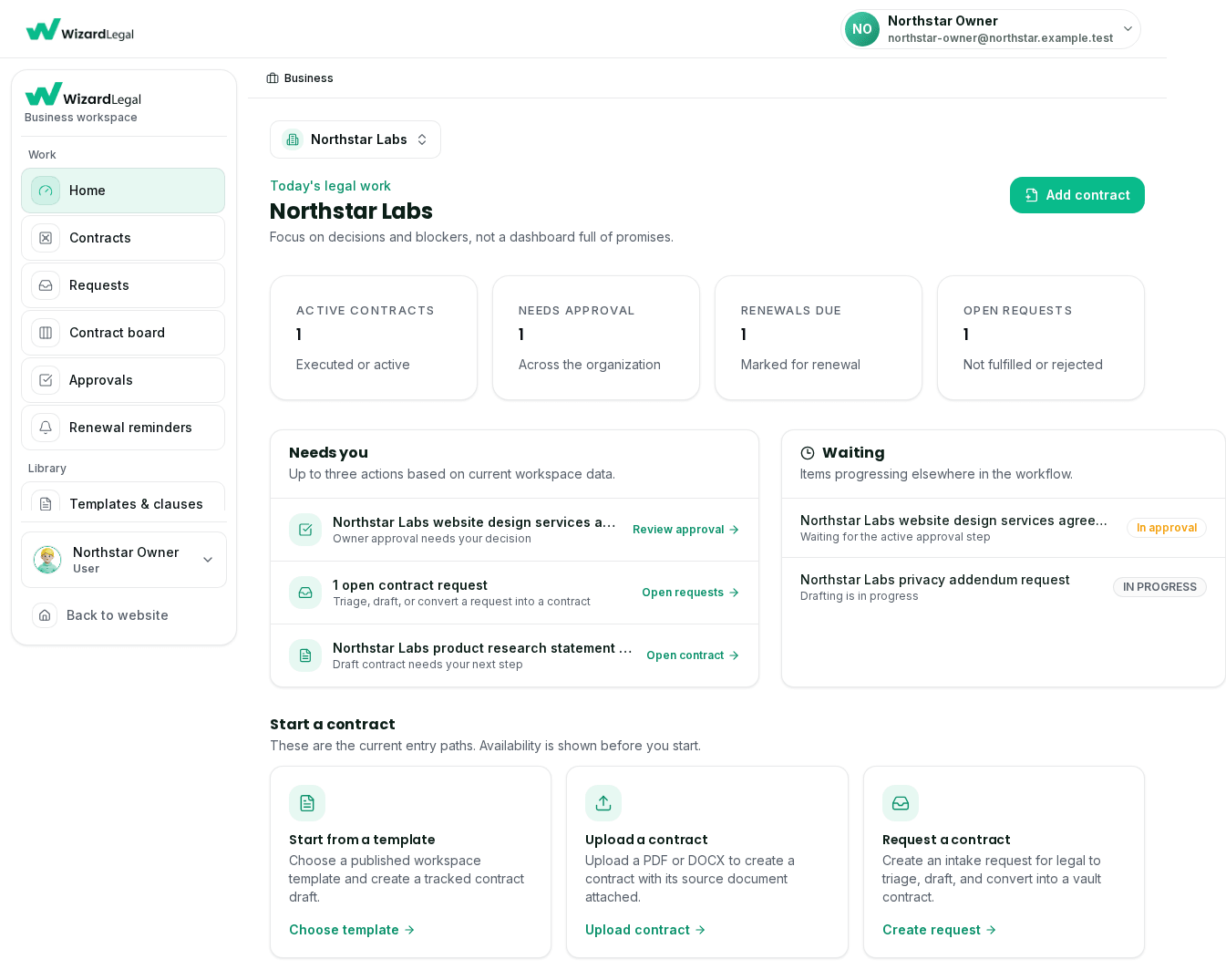
Create, review, approve, store, and track contract work across your organisation from one connected workspace. Signing options are shown only when enabled for the document.
Save finished agreements to your cloud, when they are configured for your account and you consent. Messaging can deliver selected updates.
When connected in your workspace, save available document copies to your Drive account.
Use a configured conversation for the document and status steps that are available to your account.
Account-linked messaging workflows are offered only in approved, configured deployments. Use the web workspace for current document, review, storage, checkout, and signing tools.
The real states in the product, before you start.
Choose a supported document, answer the guided questions, and inspect a watermarked draft before checkout.
Automated clause flags and plain-language suggestions as a first read, with the source contract kept visible.
The workspace shows the signing methods and provider capabilities available for the selected document before you proceed.
Product availability, provider status, and legal requirements can vary by document. Wizard Legal provides legal information and workflow tools, not legal advice.
Guided starting points for hiring, collaboration, and commercial agreements across your startup's lifecycle. Review execution requirements before relying on a document.
Offer letters and employment agreements in a guided drafting workflow.
NDAs and co-founder agreements for recording confidentiality and ownership terms.
Distribution, vendor, and SaaS agreement templates for documenting commercial terms.
Documents
Review document details before checkout
Organise drafting, review, and matter documents in one workspace while legal judgment stays with your team.
Build and reuse templates and clause material in the workspace.
Keep contract versions and related workflow details together.
Review any available expiry and renewal reminders in the workspace.
Documents
Review document details before checkout
Move from proposal to signed engagement with clear written terms — scope, fees, confidentiality, and deliverables — before the work begins.
Record the engagement scope and fees before work starts.
NDAs keep client data and your methodology confidential.
Statements of work tie deliverables to milestones and payment.
Documents
Review document details before checkout
Record the work, payment terms, and responsibilities in a guided draft — with scope-creep protections built in — before you decide how to execute it.
Service agreements that define exactly what you deliver, and what costs extra.
Advances, milestones, and late-payment terms, built in.
Draw signatures are enabled; provider-signing status is shown in the workspace.
Documents
Review document details before checkout
Use guided starting drafts to document scope, content rights, and confidentiality for agencies, creators, and every campaign in between.
Retainer and service agreements that protect scope and revisions.
Influencer and content agreements with clear IP and usage rights.
NDAs to keep campaigns and client data safe.
Documents
Review document details before checkout
From the first offer letter to a clean exit, draft consistent employment documents with guided, plain-language workflows.
Offer letters and employment agreements that set terms clearly from day one.
HR policies, NDAs, and background-check consents for a consistent handbook.
Exit paperwork, full-and-final settlements, and reference letters.
Documents
Review document details before checkout
Important personal decisions deserve a clear written record, made simple with guided, plain-language drafting.
Some personal documents, wills, prenups, and property or power-of-attorney deeds, often need registration, wet signatures, or other formalities. Provider-backed signing is unavailable until provider verification is complete; check the document-specific execution requirements before relying on a draft.
Rental and lease agreements with guided drafting.
Prenup and will drafting to protect what matters.
Power of attorney and affidavits, made simple.
Documents
Review document details before checkout
No. Choose a document, answer the guided questions, and preview your draft without creating an account. Create an account when a later step requires it or when you need account features.
Yes. You can complete the guided drafting flow and review a watermarked draft before checkout. The final payable amount and available signature options are shown before payment.
The signing flow shows the methods currently supported for the selected document and deployed environment. Drawn or typed signatures and provider-backed methods are never presented as available until the corresponding capability is enabled and verified.
You can use guided drafting to prepare a document. Templates and automated tools provide general information, not legal advice; check whether your matter needs a lawyer, stamping, witnesses, notarisation, or registration.
The catalog includes templates for rental and lease agreements, employment offers, NDAs, affidavits, partnership deeds, and other common document types. The workspace shows what is currently available.
When available in your workspace, AI Review produces automated general-information output such as clause-level flags, a score, and suggestions. Review the underlying contract and seek professional advice where needed; it is not legal advice.
Choose a supported template, answer the guided questions, and preview the draft before deciding how to continue.